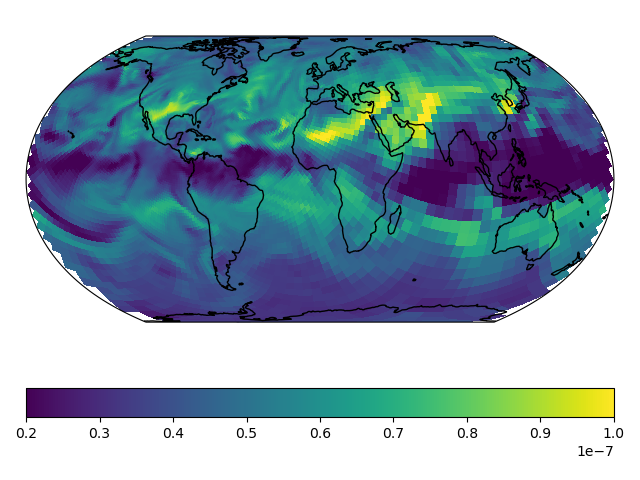
Stretched-Grid Simulation: Eastern US
This tutorial walks you through setting up and running a stretched-grid simulation for ozone in the eastern US. The grid parameters for this tutorial are
Parameter |
Value |
|---|---|
Stretch-factor |
3.6 |
Cubed-sphere size |
C60 |
Target latitude |
37° N |
Target longitude |
275° E |
These parameters were choosen so that the target face covered the eastern US. Some back-of-the-envelope resolution calculations are
and
and
and
where \(\mathrm{N}\) is the cubed-sphere size and \(\mathrm{S}\) is the stretch-factor. The actual value of these, calculated from the grid-box areas, are 46 km, 51 km, 42 km, and 664 km respectively.
Note
This tutorial uses a relatively large stretch-factor. A smaller stretch-factor, like 2.0, would have a refinement that more broad, and the range resolutions would be smaller.
Tutorial prerequisites
Before continuing with the tutorial:
You need to be able to run GCHP simulations
You need to install gcpy >= 1.0.0, and cartopy >= 0.19
You need emissions data and MERRA2 data for July 2019
Create a new run directory. This run directory should be use full chemistry
with standard simulation options, and use MERRA2 meteorology. Make the
following modifications to runConfig.sh:
Change the simulation’s start time to
"20190701 000000"Change the simulation’s end time to
"20190708 000000"Change the simulation’s duration to
"00000007 000000"Change
timeAvg_freqto"240000"(daily diagnostics)Change
timeAvg_durto"240000"(daily diagnostics)Update the compute resources as you like. This simulation’s computational demands are about \(1.5\times\) that of a C48 or 2°x2.5° simulation.
Note
I chose to use 30 cores on 1 node, and the simulation took 7 hours to run. For comparison, I also ran the simulation on 180 cores across 6 nodes, and that took about 2 hours.
Update gchp.local.run so nCores matches your setting in
runConfig.sh. Now you are ready to continue with the tutorial.
The rest of the tutorial assume that your current working directory is your
run directory.
Create your restart file
First, create a restart file for the simulation.
GCHP ingests the restart file directly (no online regridding), so the first thing you need to do is regrid a restart file to your stretched-grid.
You can regrid initial_GEOSChem_rst.c48_fullchem.nc with GCPy like so:
$ python -m gcpy.file_regrid                           \
     -i initial_GEOSChem_rst.c48_fullchem.nc           \
     --dim_format_in checkpoint                        \
     --dim_format_out checkpoint                       \
     --cs_res_out 60                                   \
     --sg_params_out 3.6 275 37                        \
     -o initial_GEOSChem_rst.EasternUS_SG_fullchem.nc
This creates initial_GEOSChem_rst.EasternUS_SG_fullchem.nc, which is the
new restart file for your simulation.
Note
This command takes about a minute to run. If you regridding a large restart file (e.g., C180) it may take significantly longer.
Update runConfig.sh
Make the following updates to runConfig.sh:
Change
INITIAL_RESTARTto useinitial_GEOSChem_rst.EasternUS_SG_fullchem.ncChange
CS_RESto60Change
STRETCH_GRIDtoONChange
STRETCH_FACTORto3.6Change
TARGET_LATto37.0Change
TARGET_LONto275.0
Execute runConfig.sh to apply the updates to the various configuration files:
$ ./runConfig.sh
Run GCHP
Run GCHP:
$ ./gchp.local.run
Plot the output
Append grid-box corners:
$ python -m gcpy.append_grid_corners \
     --sg_params 3.6 275 37 \
     OutputDir/GCHP.SpeciesConc.20190707_1200z.nc4
Plot ozone at model level 22:
import matplotlib.pyplot as plt
import cartopy.crs as ccrs
import xarray as xr

# Load 24-hr average concentrations for 2019-07-07
ds = xr.open_dataset('GCHP.SpeciesConc.20190707_1200z.nc4')

# Get Ozone at level 22
ozone_data = ds['SpeciesConc_O3'].isel(time=0, lev=22).squeeze()

# Setup axes
ax = plt.axes(projection=ccrs.EqualEarth())
ax.set_global()
ax.coastlines()

# Plot data on each face
for face_idx in range(6):
    x = ds.corner_lons.isel(nf=face_idx)
    y = ds.corner_lats.isel(nf=face_idx)
    v = ozone_data.isel(nf=face_idx)
    pcm = plt.pcolormesh(
        x, y, v,
        transform=ccrs.PlateCarree(),
        vmin=20e-9, vmax=100e-9
    )

plt.colorbar(pcm, orientation='horizontal')
plt.show()